
The short answer
What are the most important web design tips for increasing conversions?
Focus on clear messaging, simple navigation, fast loading speed, mobile usability, strong calls to action, relevant trust signals, and straightforward forms. These elements help visitors understand your offering and take the next step.
Your website is often one of the first places potential customers interact with your business. Before contacting your team or purchasing a product, visitors use your website to understand what you offer, evaluate your credibility, and decide whether your business meets their needs.
However, attracting visitors is only part of the process. If your website is difficult to navigate, takes too long to load, or fails to communicate your value clearly, potential customers may leave without taking action.
This is where thoughtful design becomes important. The right Web Design Tips can help businesses create a smoother browsing experience, communicate information effectively, and guide visitors towards meaningful actions.
Why Web Design Matters for Customer Conversions
Website design influences how people interact with your business online. A clear layout helps visitors find information, while consistent branding and professional visuals can strengthen credibility.
Good design also reduces friction. When visitors can navigate pages easily, understand your services, and locate contact options without confusion, they have fewer obstacles to overcome before converting.
However, attractive visuals alone do not guarantee results. Your website must also provide relevant information, load efficiently, work across devices, and make the intended action clear.
By combining these elements, businesses can create a website that supports both customer experience and business objectives.
10 Web Design Tips to Convert Visitors Into Customers
1. Keep Your Website Design Clean and Simple
A clean layout creates a clearer visual experience.
Use sufficient white space, consistent typography, a limited colour palette, and well-organized sections. Give each page a clear purpose and prioritize the information visitors need most.
Your homepage should quickly communicate what your business does, who it serves, and what visitors can do next.
2. Improve Website Loading Speed
Website speed affects the browsing experience. When pages take too long to load, visitors may leave before exploring your products or services.
Large image files, unnecessary scripts, excessive plugins, and inefficient code can contribute to slow performance.
To improve loading speed:
- Compress images without sacrificing unnecessary quality.
- Remove scripts and plugins that are no longer needed.
- Use reliable hosting and appropriate caching.
- Review page performance regularly.
- Reduce unnecessary elements that delay important content.
A faster website makes it easier for visitors to access information and complete actions without unnecessary delays.
3. Make Your Website Mobile-Friendly
Many customers browse websites on smartphones and tablets. If your website is difficult to use on smaller screens, you risk losing visitors who cannot comfortably access your content or contact your business.
Responsive Website Design allows your website layout to adapt to different screen sizes.
Make sure text remains readable, buttons are easy to tap, images scale appropriately, and navigation works smoothly on mobile devices. Forms should also be simple to complete without excessive scrolling or zooming.
Test your website across different screen sizes rather than relying exclusively on the desktop version.
6. Use High-Quality Images and Visual Elements
Visuals help communicate your brand personality, demonstrate your work, and make information easier to understand.
Low-quality images, unrelated stock photos, or inconsistent graphics can weaken the overall impression of your website.
Choose visuals that support your message. Product photographs, project examples, team images, illustrations, and relevant graphics can all help visitors understand what your business offers.
8. Optimize Landing Pages for Conversions
Landing pages are designed to guide visitors towards a specific action, such as submitting an enquiry, registering for an event, or purchasing a product.
Make sure the content matches the advertisement, email, or link that brought visitors to the page. If people click an ad promising a particular service, they should find information about that service immediately.
Landing page optimization also involves testing different headlines, layouts, offers, and calls to action to identify what works best for your audience.
Rather than assuming a design will perform well, use Website Conversion Optimization data to guide improvements.
9. Simplify Contact Forms and Lead Capture
Contact forms are often the final step between an interested visitor and a potential business enquiry. If the process is complicated, visitors may abandon it before submitting their details.
Ask only for information you genuinely need at the initial stage.
For example, a basic enquiry form might request a name, email address, and short message. A quotation form may require additional details relevant to the service being requested.
Make form labels clear, display helpful validation messages, and ensure the form works properly on mobile devices.
10. Use Strategic Content Placement and Visual Hierarchy
Visitors rarely read every element on a page in the same order. They scan headings, short paragraphs, images, and buttons to determine what deserves their attention.
For Website Design for Business, content placement should reflect the customer’s decision-making process. Explain your value, provide supporting information, address common concerns, and then present a relevant next step.
When design and content work together, visitors can understand your offering more quickly and make more informed decisions.
Common Web Design Mistakes That Reduce Conversions
Even a visually attractive website can underperform when basic usability and communication issues are overlooked.
Common mistakes include:
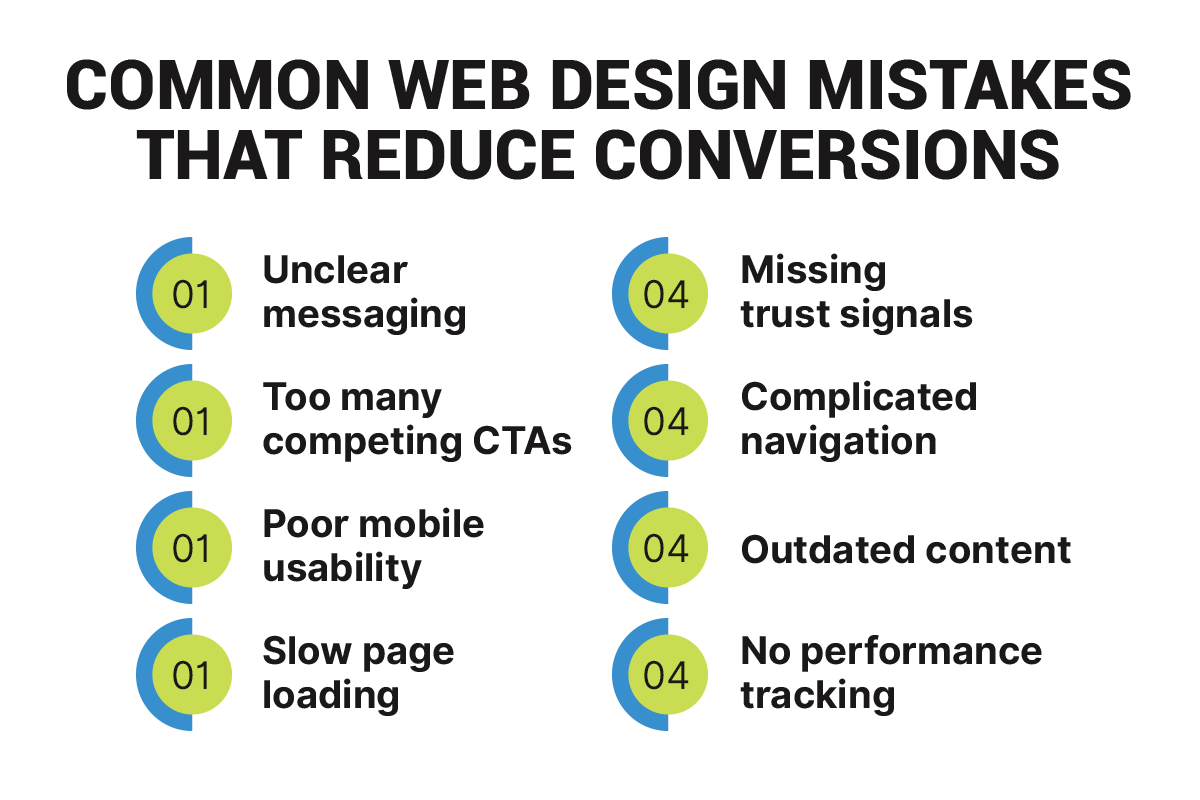
- Unclear messagingVisitors cannot quickly understand what your business offers.
- Too many competing CTAsMultiple prominent actions make it difficult to identify the next step.
- Poor mobile usabilityText, buttons, and forms become difficult to use on smaller screens.
- Slow page loadingVisitors experience unnecessary delays when accessing information.
- Missing trust signalsPotential customers have little evidence to support their decision.
- Complicated navigationImportant service and contact pages are difficult to find.
- Outdated contentOld information creates confusion and reduces confidence.
- No performance trackingDesign decisions are made without understanding how visitors behave.
Regularly reviewing your high converting website helps identify these problems before they continue affecting customer enquiries and sales.
How Professional Web Design Services Help Increase Conversions
Improving conversions often requires more than changing colours or repositioning a button. Businesses need to understand how design, content, functionality, and customer behaviour work together.
Professional Web Design Services can help identify weaknesses in your existing website and develop a more effective experience around your business goals.
For businesses with more complex requirements, custom website development can provide greater flexibility in how the website functions and supports specific customer journeys.
Working with an experienced website development company can also help align design decisions with technical performance, search visibility, accessibility, and ongoing maintenance.
At DigiClicks, we bring together website development, branding, SEO, creative design, social media management, performance marketing, and AI solutions to help businesses build a stronger digital presence. Our focus is on creating websites that communicate value clearly and support measurable business objectives.
The End Note
A website should do more than present your business online. It should help visitors understand your offering, build confidence in your brand, and take the next step towards becoming customers.
From simplifying navigation and improving speed to strengthening calls to action and building trust, small improvements can make the browsing experience more effective.
The key is to understand your audience, prioritize usability, and evaluate your website based on how well it supports your business goals.
By applying these practical design principles and reviewing performance regularly, you can create a website that offers a better experience for visitors while giving your business a stronger foundation for growth.
Questions people ask
What are the most important web design tips for increasing conversions?
Focus on clear messaging, simple navigation, fast loading speed, mobile usability, strong calls to action, relevant trust signals, and straightforward forms. These elements help visitors understand your offering and take the next step.
How does website design affect conversion rates?
Website design influences how easily visitors find information, understand your services, and interact with your business. A clear and user-friendly experience can reduce friction and make it easier for visitors to complete desired actions.
What makes a high-converting website?
A high-converting website combines relevant content, intuitive navigation, responsive layouts, strong calls to action, credible trust signals, and reliable performance. Its design supports a clear business objective and makes the customer journey straightforward.
How can I improve my website’s conversion rate without redesigning it?
Start by reviewing your analytics and identifying pages where visitors leave without converting. Test clearer headlines, improve CTA placement, simplify forms, optimize images, and address usability problems before committing to a complete redesign.
Why is responsive design important for business websites?
Responsive design helps your website adapt to different screen sizes, making content and functionality easier to access on smartphones, tablets, and desktops. This supports a more consistent experience across devices.
How often should I update my website design?
There is no fixed schedule. Review your website regularly and consider updates when your business goals change, the design becomes outdated, usability problems appear, or performance data highlights opportunities for improvement.


